Skip to content

提示詞範本

AI 影片提示詞範本:AI Headshot Generator Variant 2 提示詞範本

適合 AI Headshot Generator Variant 2 變體、參考圖編輯 的 VisioArt 可複用提示詞範本,包含清晰生成方向、對應工具入口和本地预覽圖。
開始創作查看價格
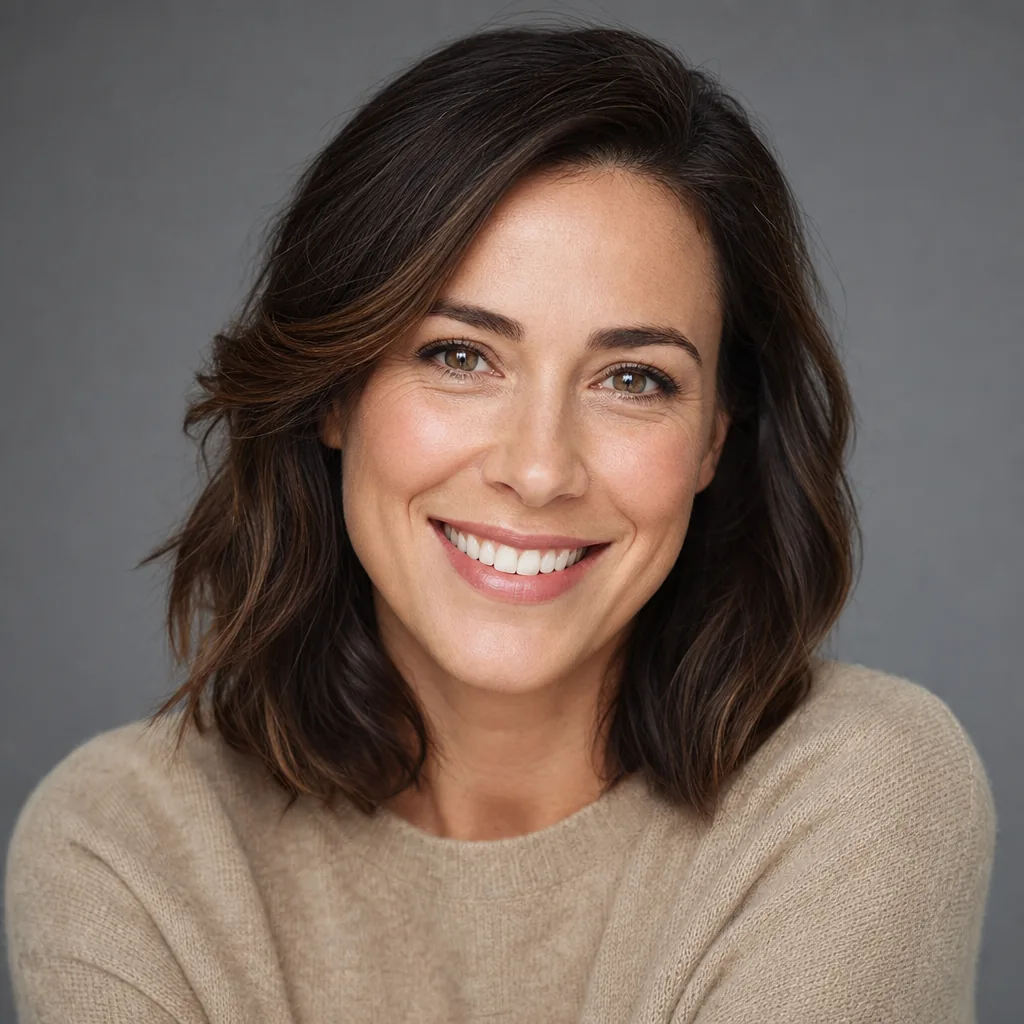
AI Headshot Generator Variant 2 提示詞範本視覺示例
圖片圖片編輯外觀風格參考圖
提示詞
替換方括號中的佔位符,再根據渠道調整鏡頭、燈光、格式和輸出限制。
Use the input image as the main reference and keep the person’s face, identity, and overall proportions clearly recognizable. Turn it into a clean, high‑quality professional headshot suitable for LinkedIn, resumes, company websites, and corporate profiles.

Focus on a single person, centered in the frame, cropped from chest‑up with comfortable headroom. Keep the pose natural and flattering, with the subject looking slightly toward or directly at the camera, showing a confident, approachable expression.

Dress the person in realistic professional attire that fits well and looks natural. Use soft, even lighting that gently highlights the face and eyes without harsh shadows. Make sure skin tones look natural and consistent with the original photo.

Place the subject in front of a simple, clean background with good contrast between the person and the background. Render the result as a sharp, photorealistic portrait with high detail in the eyes, hair, and facial features. No text, no logos, no borders, no watermarks in the final image.
適合場景
AI Headshot Generator Variant 2 變體
參考圖編輯
可複用圖片工作流
模型起點
Nano Banana 2GPT-4o ImageGPT Image 2GPT Image 1.5

相關範本

讓活動繼續推進

當同一活動需要更多素材格式時,可以繼續使用這些相鄰提示詞模式。

前後對比圖片編輯提示詞示例
圖片編輯活動素材修圖
前後對比
在保留主體的前提下,把粗糙圖片打磨成活動素材的結構化編輯範本。
開啟範本
GPT Image 2 圖片編輯提示詞示例
GPT Image 2 提示詞圖片編輯文生圖
GPT Image 2 提示詞
結構化 GPT Image 2 提示詞範本,適合干淨圖片生成、參考圖編輯、產品視覺、文字布局和活動靜幀。
開啟範本
參考圖服裝編輯提示詞示例
圖片編輯時裝服裝編輯
服裝編輯
在保留人物身份、姿勢和光線的前提下,更換服裝与造型方向的圖片編輯範本。
開啟範本

常見問題

AI Headshot Generator Variant 2 範本 常見問題

圍繞工作流程、模型選擇、價格和生產適配給出清晰回答。

適合 AI Headshot Generator Variant 2 變體、參考圖編輯 的 VisioArt 可複用提示詞範本,包含清晰生成方向、對應工具入口和本地预覽圖。

在 VisioArt 中使用這個提示詞。

從推薦工具開始,貼上提示詞,替換佔位符,並測試最強模型路徑。

開啟推薦工具瀏覽全部範本
