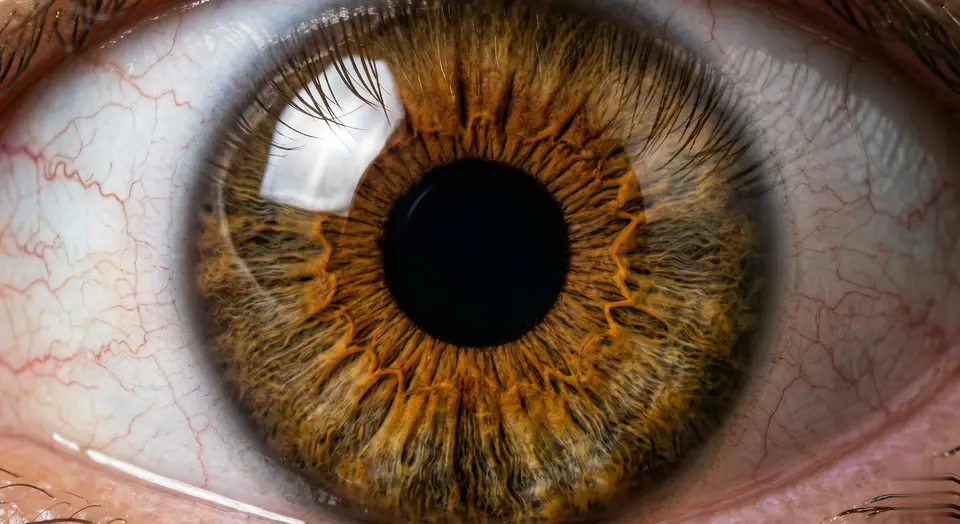
Videos are generated from user-uploaded close-up photos of a single person to create hyper-realistic eye zooms. Start with a natural eye framing (eyelids, eyelashes, facial contours, lifelike). Then transition to a seamless, ultra-smooth zoom - linear motion, no speed changes/jumps, like a gentle breath. Hyper-realistic textures are preserved: clear iris striations, thin eyelashes (hair follicles are clearly visible), faint scleral veins, eyelid curves - all sharp and clear, no blur. Surrounding features (brows, cheeks) naturally recede without distortion. Final focus: pupil details are sharp and clear. As the zoom progresses, the pupil is centered in the frame. At the climax of the zoom, the pupil comes into focus - iris patterns, pupil edges, and corneal highlights are sharp and clear (no blur, perfect sharpness). Motion rules: Each frame is seamless (no noticeable cuts), and the motion curve is continuous (like liquid flow). Lighting/shadows are automatically adjusted based on zoom (e.g. corneal highlights move naturally, no sudden changes in brightness). Make sure every detail (even tiny textures) is sharp during the zoom, especially in the last frame centered on the pupil. Avoid: Unnatural motion (jumps, speed spikes), distorted facial features, blurred textures (especially at the end). Prioritize pupil-centered clarity and ultra-realistic, smooth zooms without any artifacts. The effect should feel like a slow, hypnotic dive into the core of the eyeball, eventually focusing on a single pupil in sharp and detailed focus - no blur, perfectly centered.