Skip to content

Prompt template

AI Room Design Image Edit Prompt Template

Reusable image edit prompt for AI Room Design, with matching VisioArt generator settings and a local preview.
Start creatingSee pricing
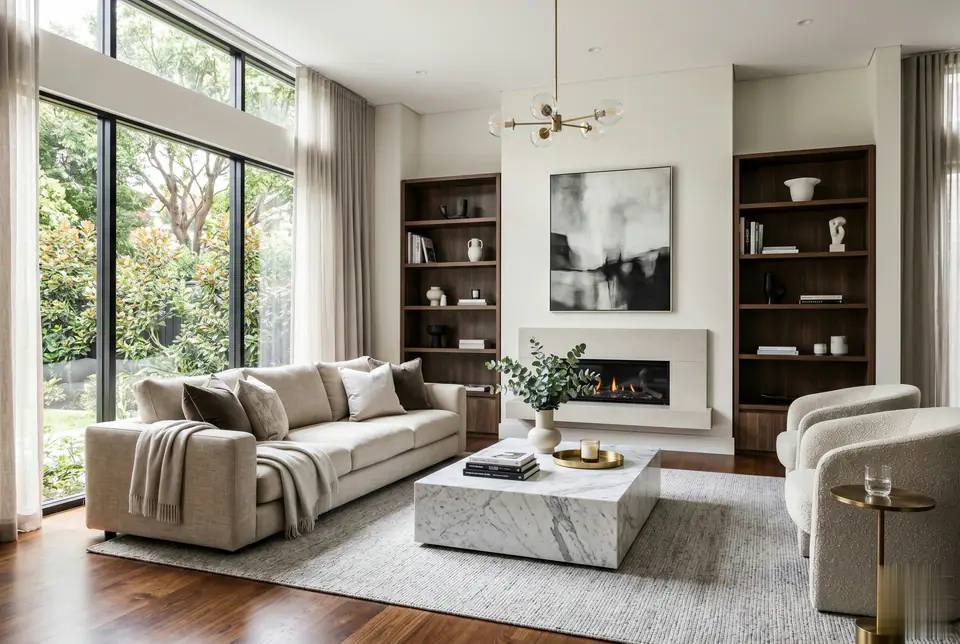
AI Room Design Image Edit Prompt Template visual example
imageimage editappearancereference image
Prompt
Replace the bracketed placeholders, then tune camera, lighting, format, and output constraints for the exact channel.
Act as a professional AI Room Design expert. Using the uploaded image as a foundational structure, reimagine the space with a premium Western aesthetic. Maintain the original architectural layout and furniture positions while enhancing the visual quality to professional interior design standards. Strictly avoid any traditional Asian or Chinese decor elements. Focus on clean lines, high-end materials, and architectural magazine-level composition. 4k, photorealistic.
Best for
AI Room Design variants
Reference-guided edits
Reusable image workflows
Model starting points
Nano Banana 2GPT-4o ImageGPT Image 2GPT Image 1.5

Related templates

Keep the campaign moving

Use these adjacent prompt patterns when the same campaign needs another asset format.

AI Patch Generator Image Prompt Template example
imagemerchtext prompt
AI Patch
Reusable image prompt for AI Patch Generator, with matching VisioArt generator settings and a local preview.
Open template
AI Age Change Filter Image Edit Prompt Template example
imageimage editappearance
AI Age Change Filter
Reusable image edit prompt for AI Age Change Filter, with matching VisioArt generator settings and a local preview.
Open template

AI Body Editor Image Edit Prompt Template example
imageimage editappearance
AI Body Editor
Reusable image edit prompt for AI Body Editor, with matching VisioArt generator settings and a local preview.
Open template

FAQ

AI Room Design FAQ

Clear answers for buyers comparing workflows, model choices, pricing, and production fit.

Reusable image edit prompt for AI Room Design, with matching VisioArt generator settings and a local preview.

Use this prompt inside VisioArt.

Start from the recommended tool, paste the prompt, replace the placeholders, and test the strongest model path.

Open recommended toolBrowse templates