Skip to content

プロンプトテンプレート

AI動画プロンプトテンプレート: MultipleMeエフェクト動画プロンプト

MultipleMeエフェクト動画向けの制作対応テンプレート。MultipleMeエフェクトclipsとinteractionseffectsに使いやすく、VisioArtで構造化された制作フローを組めます。
作成を開始料金を見る
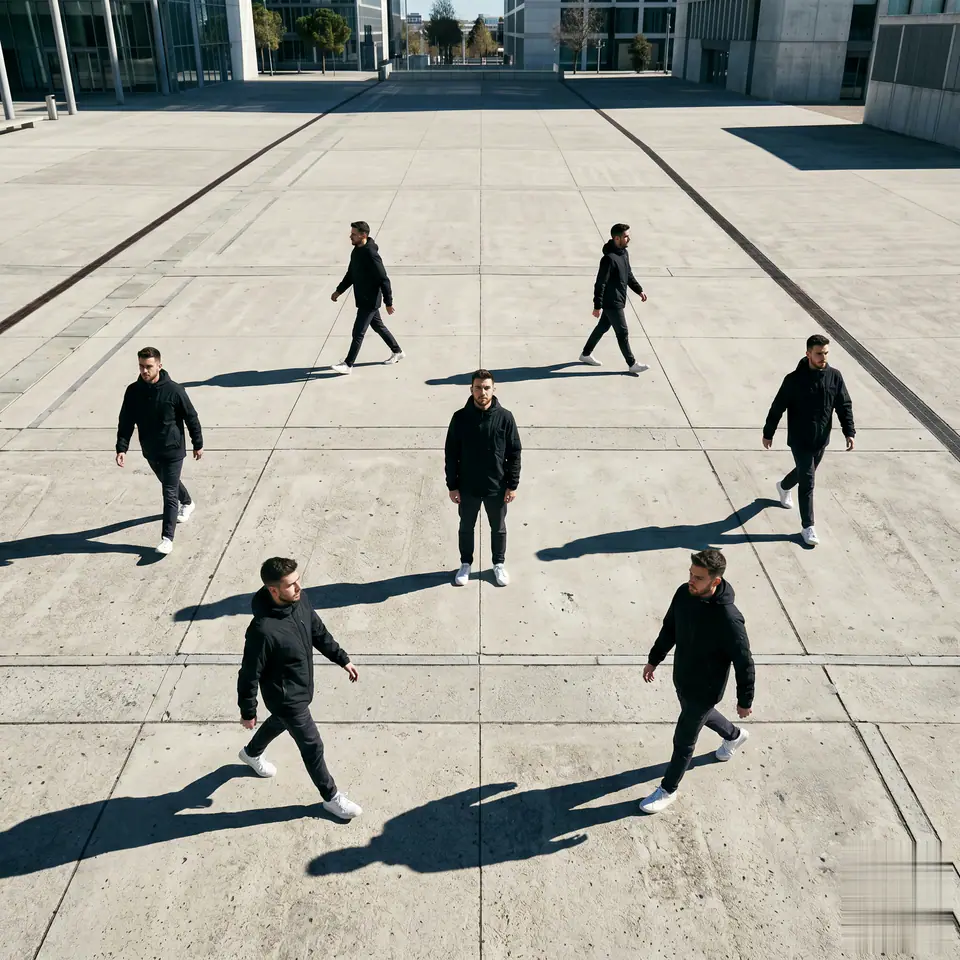
MultipleMeエフェクト動画プロンプトのビジュアル例
動画動画エフェクトinteractions画像to動画
プロンプト
角括弧内のプレースホルダーを差し替え、配信先に合わせてカメラ、照明、形式、出力条件を調整します。
Use the uploaded person as the only identity reference. Create a 1:1 cinematic Multiple Me Effect video. - 1 person stands exactly at the center of the frame, completely still the entire time, looking up at the camera. - Generate 6 identical clones around the center person. - All 7 figures must have the exact same face, hairstyle, body shape, skin tone, and clothing. - Only the 6 surrounding clones move. - The clones walk slowly and naturally around the center person in different directions. - Keep clear spacing between all figures. No overlapping, no collisions, no merged limbs. - Keep the clones within the frame and keep their faces visible as much as possible. - Camera is fixed in a high-angle overhead view. - No zoom, no pan, no tilt, no rotation, no shake. - Scene is a large empty ground with natural daylight and clear long shadows. - Keep the composition clean, simple, cinematic, and easy to read. - No extra people, no background change, no identity drift, no flicker, no deformation.
向いている用途
MultipleMeエフェクトclips
interactionseffects
Reusable動画workflows
モデルの出発点
Kling Standard

関連テンプレート

制作を続ける

同じキャンペーンで別形式の素材が必要なときは、近いプロンプト型から続けられます。

商品リビールプロンプトの例
EC商品動画有料ソーシャル
商品リビール
商品リビール向けの制作対応テンプレート。商品launchesと有料ソーシャルtestsに使いやすく、VisioArtで構造化された制作フローを組めます。
テンプレートを開く

ポートレートフックプロンプトの例
ポートレートソーシャルcontentcreator
ポートレートフック
ポートレートフック向けの制作対応テンプレート。Creatorpostsと創業者contentに使いやすく、VisioArtで構造化された制作フローを組めます。
テンプレートを開く

Lookbookモーションプロンプトの例
ファッションLookbook画像to動画
Lookbookモーション
Lookbookモーション向けの制作対応テンプレート。ファッションdropsとLookbooksに使いやすく、VisioArtで構造化された制作フローを組めます。
テンプレートを開く

よくある質問

MultipleMeエフェクト動画のよくある質問

ワークフロー、モデル選択、料金、制作適合について短く確認できます。

MultipleMeエフェクト動画向けの制作対応テンプレート。MultipleMeエフェクトclipsとinteractionseffectsに使いやすく、VisioArtで構造化された制作フローを組めます。

はい。角括弧のプレースホルダーを置き換え、配信先に合わせてカメラ、照明、比率、細部、出力条件を調整できます。

ページで推奨されているツールから始めてください。動き、リアリズム、スタイルで別のモデル特性が必要な場合は、近いモデル経路を試します。

このテンプレートをVisioArtで使う。

推奨ツールを開き、プロンプトを貼り付け、プレースホルダーを差し替えて、最も合うモデル経路を試します。

推奨ツールを開くテンプレートを見る