Skip to content

プロンプトテンプレート

AI動画プロンプトテンプレート: AICatgenerator画像プロンプト

AICatgenerator画像向けの制作対応テンプレート。AICat画像Generatorvariantsと参照guidededitsに使いやすく、VisioArtで構造化された制作フローを組めます。
作成を開始料金を見る
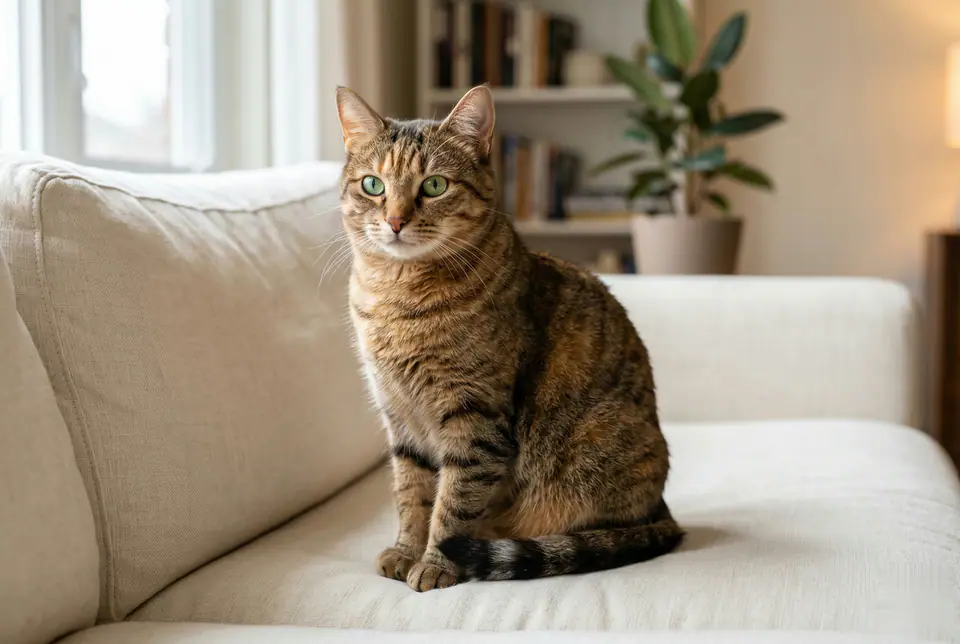
AICatgenerator画像プロンプトのビジュアル例
画像画像編集pets参照画像
プロンプト
角括弧内のプレースホルダーを差し替え、配信先に合わせてカメラ、照明、形式、出力条件を調整します。
Based on user-uploaded photos of a scene, a hyper-realistic, lifelike cat is generated, allowing it to blend naturally into the existing environment and meet the user's "Cloud Cat Adoption" needs. Cats must meet the following criteria: Realistic Details: Rendering naturally soft fur textures (including subtle color variations and lighting), clear facial features (bright, expressive eyes, delicate whiskers, and realistic noses/mouths), and smooth, natural body contours (no cartoonish or stiff elements). Seamless Flow: Ensure the cat appears to exist naturally in the scene by adding subtle shadows underneath the cat (aligning with the scene's lighting direction) and avoiding any obvious "cut-and-paste" edges. If the scene contains textures (e.g., fabric, wood, grass), the cat's contact with these surfaces should appear realistic (e.g., fur gently clinging to a soft sofa). The end result should make users feel like they are seeing a real cat in the uploaded scene
向いている用途
AICat画像Generatorvariants
参照guidededits
Reusable画像workflows
モデルの出発点
GPT-4o ImageGPT Image 2Seedream 4Seedream 4.5

関連テンプレート

制作を続ける

同じキャンペーンで別形式の素材が必要なときは、近いプロンプト型から続けられます。

AIPatchgenerator画像プロンプトの例
画像merchテキストプロンプト
AIPatchgenerator画像
AIPatchgenerator画像向けの制作対応テンプレート。AIPatchGeneratorvariantsとテキストto画像startsに使いやすく、VisioArtで構造化された制作フローを組めます。
テンプレートを開く
AIAgeChangeFilter画像プロンプトの例
画像画像編集appearance
AIAgeChangeFilter画像
AIAgeChangeFilter画像向けの制作対応テンプレート。AIAgeChangeFiltervariantsと参照guidededitsに使いやすく、VisioArtで構造化された制作フローを組めます。
テンプレートを開く

AIBodyEditor画像プロンプトの例
画像画像編集appearance
AIBodyEditor画像
AIBodyEditor画像向けの制作対応テンプレート。AIBodyEditorvariantsと参照guidededitsに使いやすく、VisioArtで構造化された制作フローを組めます。
テンプレートを開く

よくある質問

AICatgenerator画像のよくある質問

ワークフロー、モデル選択、料金、制作適合について短く確認できます。

AICatgenerator画像向けの制作対応テンプレート。AICat画像Generatorvariantsと参照guidededitsに使いやすく、VisioArtで構造化された制作フローを組めます。

はい。角括弧のプレースホルダーを置き換え、配信先に合わせてカメラ、照明、比率、細部、出力条件を調整できます。

ページで推奨されているツールから始めてください。動き、リアリズム、スタイルで別のモデル特性が必要な場合は、近いモデル経路を試します。

このテンプレートをVisioArtで使う。

推奨ツールを開き、プロンプトを貼り付け、プレースホルダーを差し替えて、最も合うモデル経路を試します。

推奨ツールを開くテンプレートを見る