Skip to content

Template di prompt

Template di prompt video AI: Prompt AI Out of Frame effetto video

Template pronto per la produzione per AI Out of Frame effetto video, adatto a AI Out of Frame effetto clips e entertainment effects e a workflow VisioArt ordinati.
Inizia a creareVedi prezzi
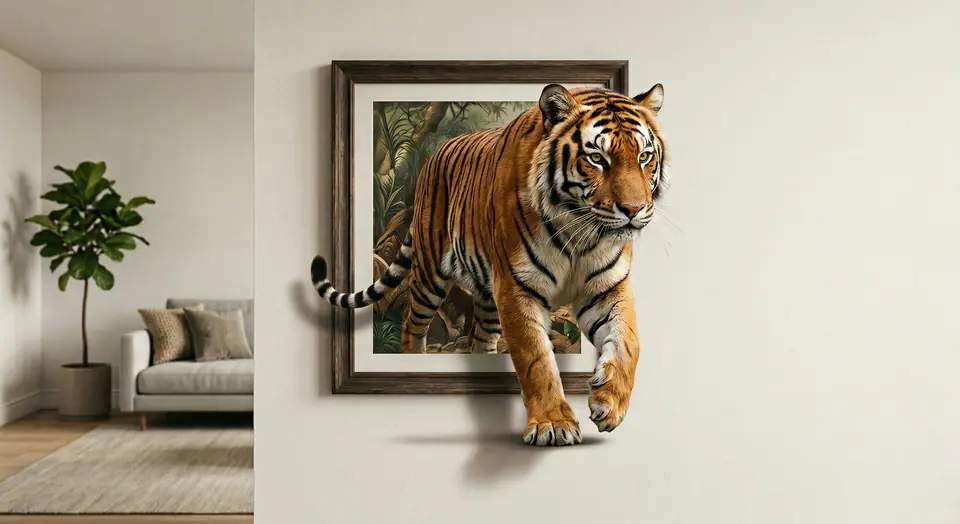
Esempio visuale di Prompt AI Out of Frame effetto video
videovideo effettoentertainmentimmagine to video
Istruzione
Sostituisci i segnaposto tra parentesi e regola camera, luce, formato e vincoli di output per il canale specifico.
Use the input image as the FIRST FRAME and keep it consistent. LOCK the camera completely (no zoom, no pan, no tilt). Keep the background, lighting, and environment perfectly static across the entire video. Replace the frame rule with an AUTO-FIT FRAME rule: the picture frame MUST always fully contain the entire subject at the start, no matter how large or tall the subject is. If needed, the frame automatically expands or adjusts its aspect ratio to fit the whole subject inside WITHOUT cropping. The frame MUST remain a rigid, perfectly rectangular frame (no bending, no warping, no melting), fixed on the wall, same material and style throughout. The frame can only resize ONCE at the very beginning (0-10%) to fit the subject, then stays completely unchanged afterward. The subject MUST remain exactly the same as the input (same identity, texture, colors, proportions). No stylization. No redesign. No duplicates. Animation: the subject slowly climbs OUT of the frame while the frame stays on the wall. 0-25%: the subject leans forward and places ONE limb/edge over the bottom frame border, clearly in front of the frame. 25-55%: a second contact point crosses the frame edge; the torso/upper body moves forward with natural anatomy. 55-85%: more of the subject emerges while the frame remains behind it; add realistic contact shadows where the subject touches the wall surface and the frame edge. 85-100%: the subject pauses half-out, looking toward camera, still attached to the framed image (do NOT fully leave the frame). Clean edges, stable background, no scene change, no transitions.
Ideale per
AI Out of Frame effetto clips
entertainment effects
Reusable video workflows
Punti di partenza dei modelli
Seedance 2 Fast

Template correlati

Porta avanti la campagna

Usa questi schemi vicini quando la stessa campagna richiede un altro formato di asset.

Esempio Prompt prodotto reveal
ecommerceprodotto videopaid social
prodotto reveal
Template pronto per la produzione per prodotto reveal, adatto a prodotto launches e paid social tests e a workflow VisioArt ordinati.
Apri template

Esempio Prompt ritratto hook
ritrattosocial contentcreator
ritratto hook
Template pronto per la produzione per ritratto hook, adatto a Creator posts e fondatore content e a workflow VisioArt ordinati.
Apri template

Esempio Prompt Lookbook motion prompt
modaLookbookimmagine to video
Lookbook motion prompt
Template pronto per la produzione per Lookbook motion prompt, adatto a moda drops e Lookbooks e a workflow VisioArt ordinati.
Apri template

FAQ

FAQ AI Out of Frame effetto video

Risposte chiare su flussi, modelli, prezzi e fit di produzione.

Template pronto per la produzione per AI Out of Frame effetto video, adatto a AI Out of Frame effetto clips e entertainment effects e a workflow VisioArt ordinati.

Sì. Sostituisci i segnaposto tra parentesi, poi regola camera, luce, formato, dettagli e vincoli di output per il canale.

Parti dallo strumento consigliato nella pagina. Se movimento, realismo o stile richiedono un altro punto di forza, prova i percorsi modello vicini.

Usa questo template in VisioArt.

Apri lo strumento consigliato, incolla l’istruzione, sostituisci i segnaposto e prova il percorso modello più forte.

Apri lo strumento consigliatoSfoglia i template