Skip to content

Modèle de prompt

Modèle de prompt vidéo IA : Prompt Selfie with Flowers AI prompt image

Modèle prêt pour la production pour Selfie with Flowers AI prompt image, pensé pour Selfie with Flowers AI variants et référence guided edits et des workflows VisioArt structurés.
Créer maintenantVoir les prix
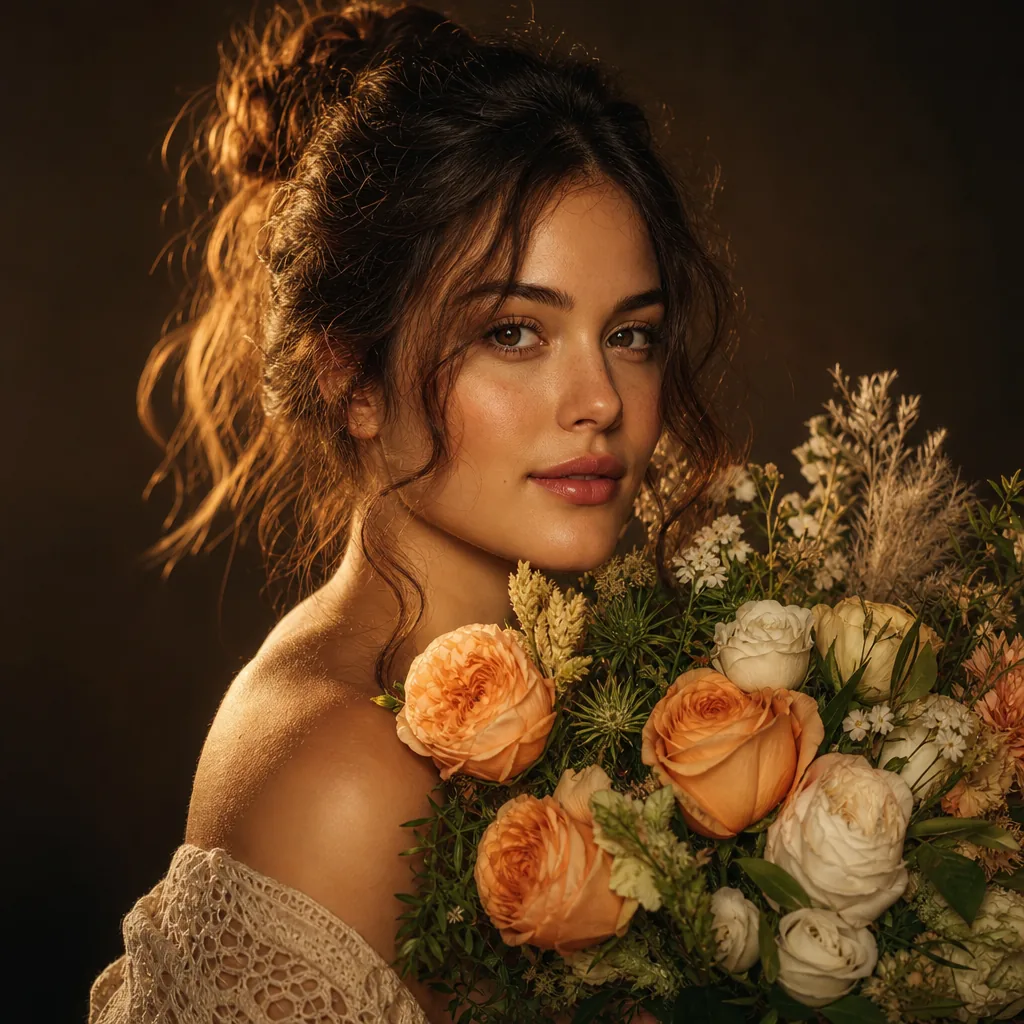
Exemple visuel Prompt Selfie with Flowers AI prompt image
imageimage retoucheinteractionsréférence image
Consigne
Remplacez les variables entre crochets, puis ajustez la caméra, la lumière, le format et les contraintes de sortie selon le canal.
Initiate PersonaFusion-vX.03 protocol: strictly preserve the exact facial identity from the user-provided image with zero alteration. STRICT CONSISTENCY RULES: The person's clothing, hairstyle, accessories, body shape, and overall appearance must remain EXACTLY the same as in the uploaded image.
Do NOT redesign, replace, simplify, or reinterpret any outfit, hair, or accessories.
Maintain identical facial structure, skin tone, and identity.
Only the environment and flowers can change. SCENE DESCRIPTION:
A hyper-realistic, ultra-sharp smartphone photograph (Google Pixel 8 style HDR clarity).
The camera is positioned at a low-angle perspective, looking upward through a dense canopy of randomly selected flowers (species vary naturally, including but not limited to roses, tulips, daisies, lilies, wildflowers).
Flowers appear from their undersides, with visible petals and stems, forming a vibrant frame around the subject. POSE (LOCKED):
The person keeps the exact same pose as defined: head tilted back
looking upward
smiling naturally
right arm extended toward the camera ENVIRONMENT:
Bright blue sky visible between flowers, sunlight positioned behind the subject’s head, creating a soft sunburst effect.
Lighting is bright, even, HDR-balanced with lifted shadows. IMAGE STYLE: ultra sharp focus across entire image (NO blur, NO bokeh)
high-resolution smartphone realism
natural skin texture with visible pores
subtle digital noise (no film grain)
realistic fabric and material detail
vibrant but natural color rendering COMPOSITION:
Flowers dynamically frame the subject from above, creating depth and layering.
Vertical portrait format.
Idéal pour
Selfie with Flowers AI variants
référence guided edits
Reusable image workflows
Points de départ des modèles
GPT Image 2Nano Banana 2Seedream 4Seedream 4.5

Modèles liés

Poursuivre la campagne

Utilisez ces modèles proches lorsque la même campagne a besoin d’un autre format d’asset.

Exemple Prompt AI Patch prompt generator image
imagemerchtexte prompt
AI Patch prompt generator image
Modèle prêt pour la production pour AI Patch prompt generator image, pensé pour AI Patch Generator variants et texte to image starts et des workflows VisioArt structurés.
Ouvrir le modèle
Exemple Prompt AI Age Change Filter prompt image
imageimage retoucheappearance
AI Age Change Filter prompt image
Modèle prêt pour la production pour AI Age Change Filter prompt image, pensé pour AI Age Change Filter variants et référence guided edits et des workflows VisioArt structurés.
Ouvrir le modèle

Exemple Prompt AI Body Editor prompt image
imageimage retoucheappearance
AI Body Editor prompt image
Modèle prêt pour la production pour AI Body Editor prompt image, pensé pour AI Body Editor variants et référence guided edits et des workflows VisioArt structurés.
Ouvrir le modèle

FAQ

FAQ Selfie with Flowers AI prompt image

Réponses claires sur les workflows, modèles, tarifs et fit de production.

Modèle prêt pour la production pour Selfie with Flowers AI prompt image, pensé pour Selfie with Flowers AI variants et référence guided edits et des workflows VisioArt structurés.

Oui. Remplacez les éléments entre crochets, puis ajustez caméra, lumière, format, détails et contraintes de sortie selon le canal.

Commencez par l’outil recommandé sur la page. Si le mouvement, le réalisme ou le style demandent une autre force de modèle, testez les chemins voisins.

Utilisez ce modèle dans VisioArt.

Ouvrez l’outil recommandé, collez la consigne, remplacez les variables, puis testez le meilleur chemin de modèle.

Ouvrir l’outil recommandéParcourir les modèles