Skip to content

Modèle de prompt

Modèle de prompt vidéo IA : Prompt Add Santa Hat to photo image

Modèle prêt pour la production pour Add Santa Hat to photo image, pensé pour Add Santa Hat to photo variants et référence guided edits et des workflows VisioArt structurés.
Créer maintenantVoir les prix
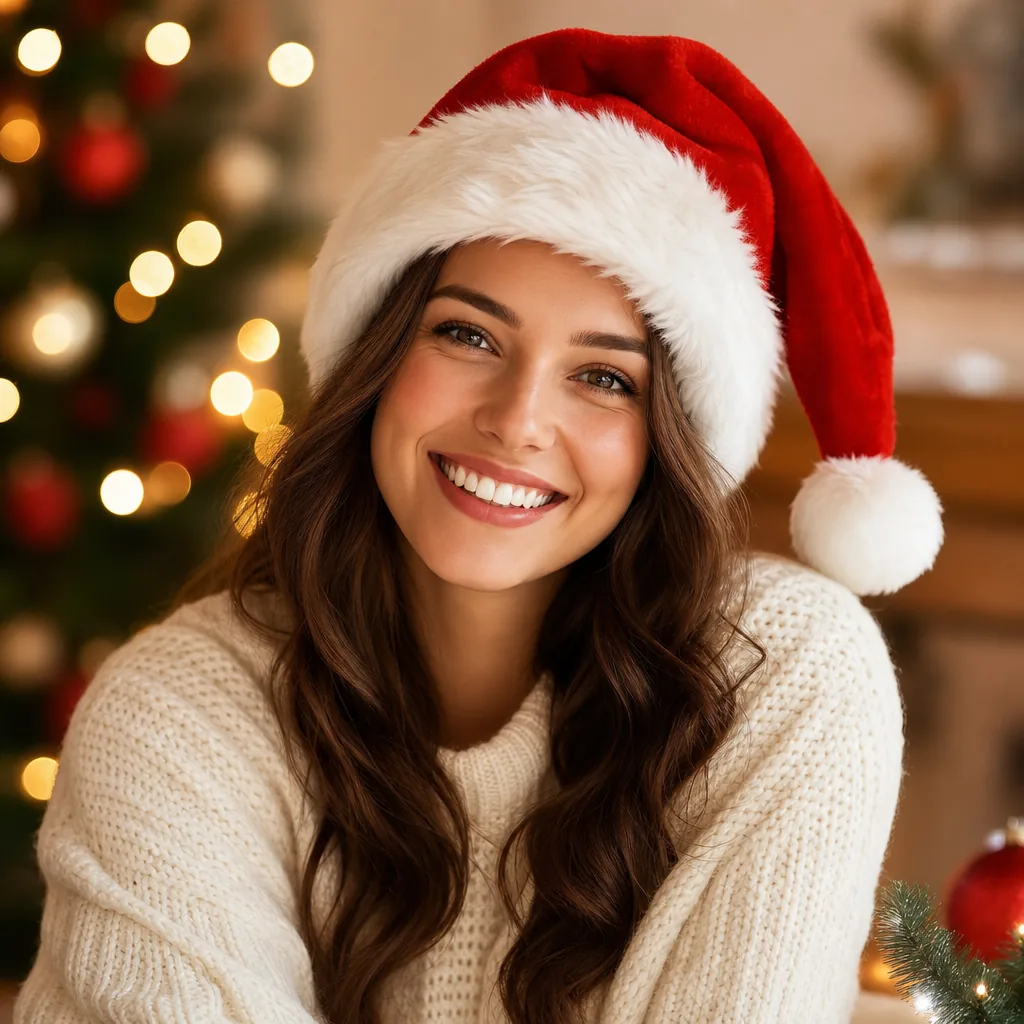
Exemple visuel Prompt Add Santa Hat to photo image
imageimage retouchefestivalsréférence image
Consigne
Remplacez les variables entre crochets, puis ajustez la caméra, la lumière, le format et les contraintes de sortie selon le canal.
Add a realistic Santa hat to the person in the uploaded photo. Requirements: - Keep the original person's identity, face, hairstyle, skin tone, expression, pose, clothing, body shape, background, and camera angle unchanged. - Place one classic Christmas Santa hat naturally on the head of the main person. - The Santa hat should have realistic red velvet fabric, soft white fur trim, and a fluffy white pom-pom. - Make sure the hat fits the head correctly with accurate scale, angle, perspective, and placement. - Match the original lighting, shadows, color temperature, and image realism so the hat looks like it was actually worn in the original photo. - Preserve hair around the forehead, sides, and back naturally where visible. - Do not cover the eyes, eyebrows, or important facial features. - Keep the edit clean and focused: the main change should be adding the Santa hat only. Optional festive enhancement: - Add very subtle Christmas atmosphere only if it fits naturally, such as soft falling snow, tiny warm fairy lights, gentle festive bokeh, or a faint holiday glow. - These festive elements must remain secondary and should not change the original scene structure. Output style: - photorealistic - seamless image editing - natural integration - high detail - cvlean holiday portrait
Idéal pour
Add Santa Hat to photo variants
référence guided edits
Reusable image workflows
Points de départ des modèles
GPT-4o ImageGPT Image 2Seedream 4Seedream 4.5

Modèles liés

Poursuivre la campagne

Utilisez ces modèles proches lorsque la même campagne a besoin d’un autre format d’asset.

Exemple Prompt AI Patch prompt generator image
imagemerchtexte prompt
AI Patch prompt generator image
Modèle prêt pour la production pour AI Patch prompt generator image, pensé pour AI Patch Generator variants et texte to image starts et des workflows VisioArt structurés.
Ouvrir le modèle
Exemple Prompt AI Age Change Filter prompt image
imageimage retoucheappearance
AI Age Change Filter prompt image
Modèle prêt pour la production pour AI Age Change Filter prompt image, pensé pour AI Age Change Filter variants et référence guided edits et des workflows VisioArt structurés.
Ouvrir le modèle

Exemple Prompt AI Body Editor prompt image
imageimage retoucheappearance
AI Body Editor prompt image
Modèle prêt pour la production pour AI Body Editor prompt image, pensé pour AI Body Editor variants et référence guided edits et des workflows VisioArt structurés.
Ouvrir le modèle

FAQ

FAQ Add Santa Hat to photo image

Réponses claires sur les workflows, modèles, tarifs et fit de production.

Modèle prêt pour la production pour Add Santa Hat to photo image, pensé pour Add Santa Hat to photo variants et référence guided edits et des workflows VisioArt structurés.

Oui. Remplacez les éléments entre crochets, puis ajustez caméra, lumière, format, détails et contraintes de sortie selon le canal.

Commencez par l’outil recommandé sur la page. Si le mouvement, le réalisme ou le style demandent une autre force de modèle, testez les chemins voisins.

Utilisez ce modèle dans VisioArt.

Ouvrez l’outil recommandé, collez la consigne, remplacez les variables, puis testez le meilleur chemin de modèle.

Ouvrir l’outil recommandéParcourir les modèles