Skip to content

Prompt-Vorlage

AI-Video-Prompt-Vorlage: Young Filter Prompt Bild Prompt

Produktionsreife Vorlage für Young Filter Prompt Bild, geeignet für Young Filter variants und Referenz guided edits und klare VisioArt-Workflows.
Jetzt erstellenPreise ansehen
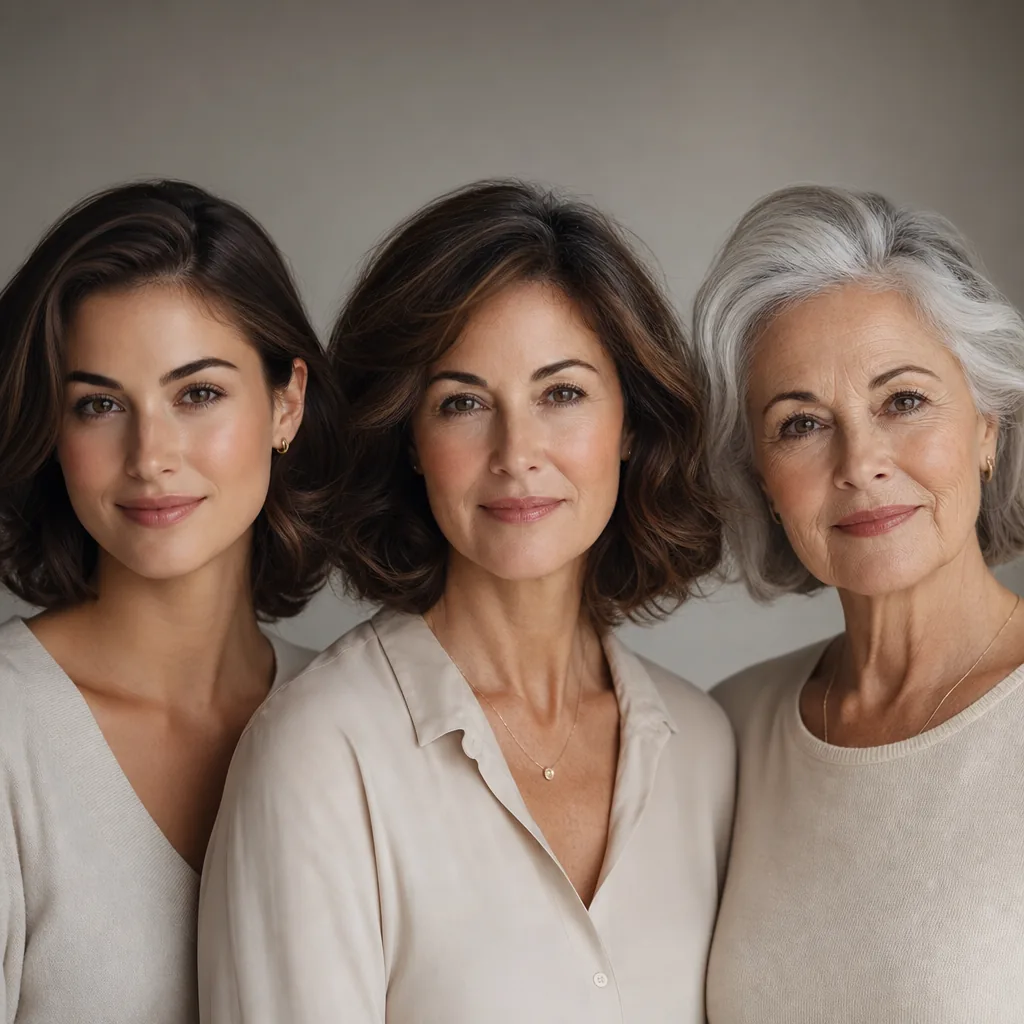
Visuelles Beispiel für Young Filter Prompt Bild Prompt
BildBild BearbeitungappearanceReferenz Bild
Eingabe
Ersetze die Platzhalter in Klammern und passe Kamera, Licht, Format und Ausgabegrenzen an den Kanal an.
Transform the uploaded portrait into a natural, photorealistic youthful adult version of the same person, appearing around 20 to 30 years old. Preserve the person's core identity, facial structure, recognizable features, expression, gaze direction, pose, body proportions, clothing style, background, lighting, camera angle, and overall photo composition. The result should look like a real high-quality photograph of the same person at a younger adult age, not a different person. Make the face look naturally youthful and healthy: smoother but realistic skin texture, reduced wrinkles, fine lines, forehead lines, crow's feet, under-eye bags, dark circles, age spots, sagging, dullness, and tired facial signs. Restore firmer facial contours, slightly fuller cheeks, a cleaner jawline, brighter eyes, fresher complexion, and natural facial vitality. Keep pores, subtle skin texture, moles, freckles, dimples, and unique facial marks if they are part of the person's identity. Adjust the hair to match a youthful adult appearance: reduce or remove gray hair naturally, restore healthy hair volume, density, shine, and softness, while keeping the original hairstyle direction and overall hair shape. If the original hair color is visible, keep a natural younger version of that color; if the hair is gray or faded, convert it into a realistic natural hair color that matches the person, such as dark brown, black, chestnut, blonde, or auburn depending on the original appearance. Avoid unnatural dyed colors unless clearly present in the input image. Improve the overall photo quality subtly: enhance facial clarity, natural skin tone, balanced contrast, clean details, and realistic lighting. Maintain the original realism and avoid beauty-filter exaggeration. The final image should feel like a professional portrait retouch showing the same person in their 20s, with believable adult facial maturity. Do not make the person look like a teenager or child. Do not change gender presentation, identity, ethnicity, facial proportions, hairstyle drastically, outfit, background, or pose. Do not create a plastic, overly smooth, AI-generated, doll-like, cartoonish, fantasy, glamorized, or heavily retouched look.
Am besten geeignet für
Young Filter variants
Referenz guided edits
Reusable Bild workflows
Modell-Startpunkte
GPT Image 2Nano Banana 2Seedream 4Seedream 4.5

Ähnliche Vorlagen

Die Kampagne weiterführen

Nutze diese benachbarten Eingabemuster, wenn dieselbe Kampagne ein weiteres Asset-Format braucht.

AI Patch Prompt generator Bild Prompt Beispiel
BildmerchText Prompt
AI Patch Prompt generator Bild
Produktionsreife Vorlage für AI Patch Prompt generator Bild, geeignet für AI Patch Generator variants und Text to Bild starts und klare VisioArt-Workflows.
Vorlage öffnen
AI Age Change Filter Prompt Bild Prompt Beispiel
BildBild Bearbeitungappearance
AI Age Change Filter Prompt Bild
Produktionsreife Vorlage für AI Age Change Filter Prompt Bild, geeignet für AI Age Change Filter variants und Referenz guided edits und klare VisioArt-Workflows.
Vorlage öffnen

AI Body Editor Prompt Bild Prompt Beispiel
BildBild Bearbeitungappearance
AI Body Editor Prompt Bild
Produktionsreife Vorlage für AI Body Editor Prompt Bild, geeignet für AI Body Editor variants und Referenz guided edits und klare VisioArt-Workflows.
Vorlage öffnen

FAQ

Young Filter Prompt Bild FAQ

Klare Antworten zu Workflows, Modellwahl, Preisen und Produktions-Fit.

Produktionsreife Vorlage für Young Filter Prompt Bild, geeignet für Young Filter variants und Referenz guided edits und klare VisioArt-Workflows.

Ja. Ersetze die Platzhalter in eckigen Klammern und passe Kamera, Licht, Format, Details und Ausgaberegeln an den Kanal an.

Starte mit dem empfohlenen Tool auf der Seite. Wenn Bewegung, Realismus oder Stil andere Modellstärken brauchen, teste die benachbarten Modellpfade.

Nutze diese Vorlage in VisioArt.

Öffne das empfohlene Tool, füge die Eingabe ein, ersetze die Platzhalter und teste den stärksten Modellpfad.

Empfohlenes Tool öffnenVorlagen durchsuchen