Skip to content

Prompt-Vorlage

AI-Video-Prompt-Vorlage: AI Human to Animal Video Tool Video Prompt

Produktionsreife Vorlage für AI Human to Animal Video Tool Video, geeignet für AI Human to Animal Video Tool clips und entertainment effects und klare VisioArt-Workflows.
Jetzt erstellenPreise ansehen
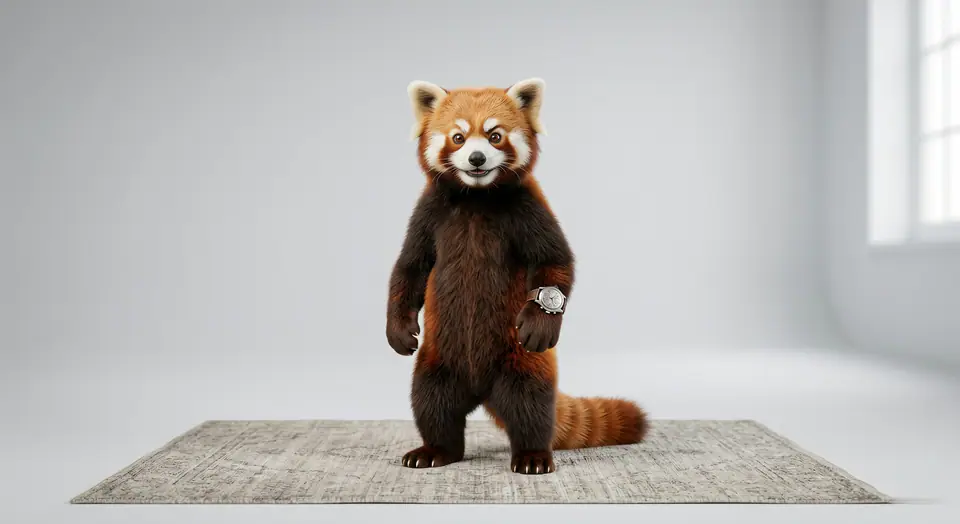
Visuelles Beispiel für AI Human to Animal Video Tool Video Prompt
VideoVideo EffektentertainmentBild to Video
Eingabe
Ersetze die Platzhalter in Klammern und passe Kamera, Licht, Format und Ausgabegrenzen an den Kanal an.
Transform the person in the uploaded image into a random animal based on their facial features, whole feeling, hairstyle, posture, and overall vibe. The transformation should be smooth, fluid morphing - skin gradually blending into fur, feathers, scales or exoskeleton. Keep facial alignment consistent during morph, no sudden cuts. After full transformation, the animal behaves naturally according to its species: - If mammal: walk, run, stretch or shake fur. - If bird: hop, flutter wings, or short lift-off. - If insect: crawl quickly or vibrate wings. - If reptile: slither or move low to the ground. Animation must feel physically believable and coherent. Preserve lighting direction and background continuity. Camera slightly pushes in during morph, then follows the animal movement. Tone: playful, surprising, lighthearted. Add exaggerated but natural micro-expressions before morph starts (confused blink, raised eyebrow, etc.) Background music: quirky, bouncy, cartoon-style instrumental music. Add soft comical boing or swoosh sound during transformation. Add small comedic sound effect when animal starts moving (tiny drum hit, slide whistle, or soft plop sound). Music tempo should match motion rhythm. Keep overall vibe joyful and meme-friendly.
Am besten geeignet für
AI Human to Animal Video Tool clips
entertainment effects
Reusable Video workflows
Modell-Startpunkte
Veo 3.1 Fast

Ähnliche Vorlagen

Die Kampagne weiterführen

Nutze diese benachbarten Eingabemuster, wenn dieselbe Kampagne ein weiteres Asset-Format braucht.

Produkt Reveal Prompt Beispiel
E-CommerceProdukt VideoPaid Social
Produkt Reveal
Produktionsreife Vorlage für Produkt Reveal, geeignet für Produkt launches und Paid Social tests und klare VisioArt-Workflows.
Vorlage öffnen

Portraet Hook Prompt Beispiel
PortraetSocial contentcreator
Portraet Hook
Produktionsreife Vorlage für Portraet Hook, geeignet für Creator posts und Founder content und klare VisioArt-Workflows.
Vorlage öffnen

Lookbook Motion Prompt Beispiel
ModeLookbookBild to Video
Lookbook Motion
Produktionsreife Vorlage für Lookbook Motion, geeignet für Mode drops und Lookbooks und klare VisioArt-Workflows.
Vorlage öffnen

FAQ

AI Human to Animal Video Tool Video FAQ

Klare Antworten zu Workflows, Modellwahl, Preisen und Produktions-Fit.

Produktionsreife Vorlage für AI Human to Animal Video Tool Video, geeignet für AI Human to Animal Video Tool clips und entertainment effects und klare VisioArt-Workflows.

Ja. Ersetze die Platzhalter in eckigen Klammern und passe Kamera, Licht, Format, Details und Ausgaberegeln an den Kanal an.

Starte mit dem empfohlenen Tool auf der Seite. Wenn Bewegung, Realismus oder Stil andere Modellstärken brauchen, teste die benachbarten Modellpfade.

Nutze diese Vorlage in VisioArt.

Öffne das empfohlene Tool, füge die Eingabe ein, ersetze die Platzhalter und teste den stärksten Modellpfad.

Empfohlenes Tool öffnenVorlagen durchsuchen