Skip to content

Prompt-Vorlage

AI-Video-Prompt-Vorlage: AI Hair Growth Prompt Video Prompt

Produktionsreife Vorlage für AI Hair Growth Prompt Video, geeignet für AI Hair Growth clips und appearance effects und klare VisioArt-Workflows.
Jetzt erstellenPreise ansehen
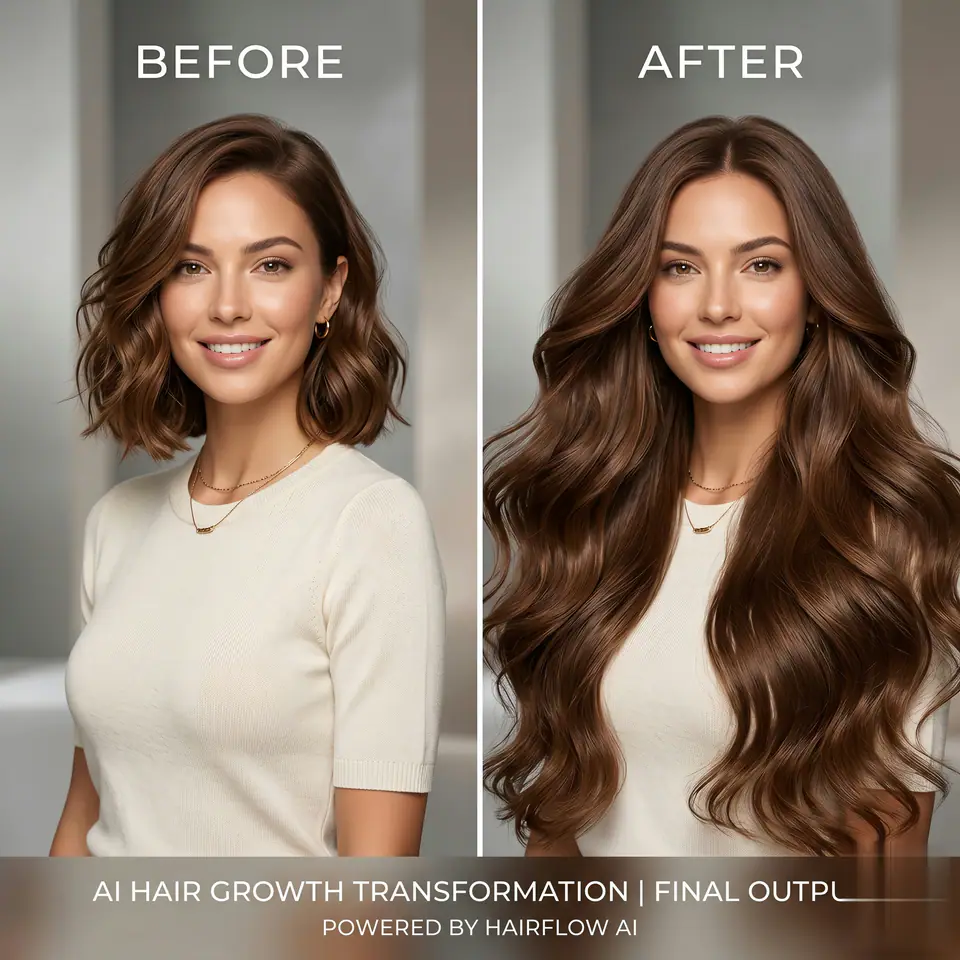
Visuelles Beispiel für AI Hair Growth Prompt Video Prompt
VideoVideo EffektappearanceBild to Video
Eingabe
Ersetze die Platzhalter in Klammern und passe Kamera, Licht, Format und Ausgabegrenzen an den Kanal an.
The video effect is generated based on the photos uploaded by users. The person in the photo immediately grows a lot of super long hair on both sides of the head, reaching the waist. The long hair is flowing and full of dynamics, and the hair color is exactly the same as the original hair color in the uploaded photo.
Am besten geeignet für
AI Hair Growth clips
appearance effects
Reusable Video workflows
Modell-Startpunkte
Seedance

Ähnliche Vorlagen

Die Kampagne weiterführen

Nutze diese benachbarten Eingabemuster, wenn dieselbe Kampagne ein weiteres Asset-Format braucht.

Produkt Reveal Prompt Beispiel
E-CommerceProdukt VideoPaid Social
Produkt Reveal
Produktionsreife Vorlage für Produkt Reveal, geeignet für Produkt launches und Paid Social tests und klare VisioArt-Workflows.
Vorlage öffnen

Portraet Hook Prompt Beispiel
PortraetSocial contentcreator
Portraet Hook
Produktionsreife Vorlage für Portraet Hook, geeignet für Creator posts und Founder content und klare VisioArt-Workflows.
Vorlage öffnen

Lookbook Motion Prompt Beispiel
ModeLookbookBild to Video
Lookbook Motion
Produktionsreife Vorlage für Lookbook Motion, geeignet für Mode drops und Lookbooks und klare VisioArt-Workflows.
Vorlage öffnen

FAQ

AI Hair Growth Prompt Video FAQ

Klare Antworten zu Workflows, Modellwahl, Preisen und Produktions-Fit.

Produktionsreife Vorlage für AI Hair Growth Prompt Video, geeignet für AI Hair Growth clips und appearance effects und klare VisioArt-Workflows.

Ja. Ersetze die Platzhalter in eckigen Klammern und passe Kamera, Licht, Format, Details und Ausgaberegeln an den Kanal an.

Starte mit dem empfohlenen Tool auf der Seite. Wenn Bewegung, Realismus oder Stil andere Modellstärken brauchen, teste die benachbarten Modellpfade.

Nutze diese Vorlage in VisioArt.

Öffne das empfohlene Tool, füge die Eingabe ein, ersetze die Platzhalter und teste den stärksten Modellpfad.

Empfohlenes Tool öffnenVorlagen durchsuchen