Skip to content

Prompt-Vorlage

AI-Video-Prompt-Vorlage: Add Santa Hat to Foto Bild Prompt

Produktionsreife Vorlage für Add Santa Hat to Foto Bild, geeignet für Add Santa Hat to Foto variants und Referenz guided edits und klare VisioArt-Workflows.
Jetzt erstellenPreise ansehen
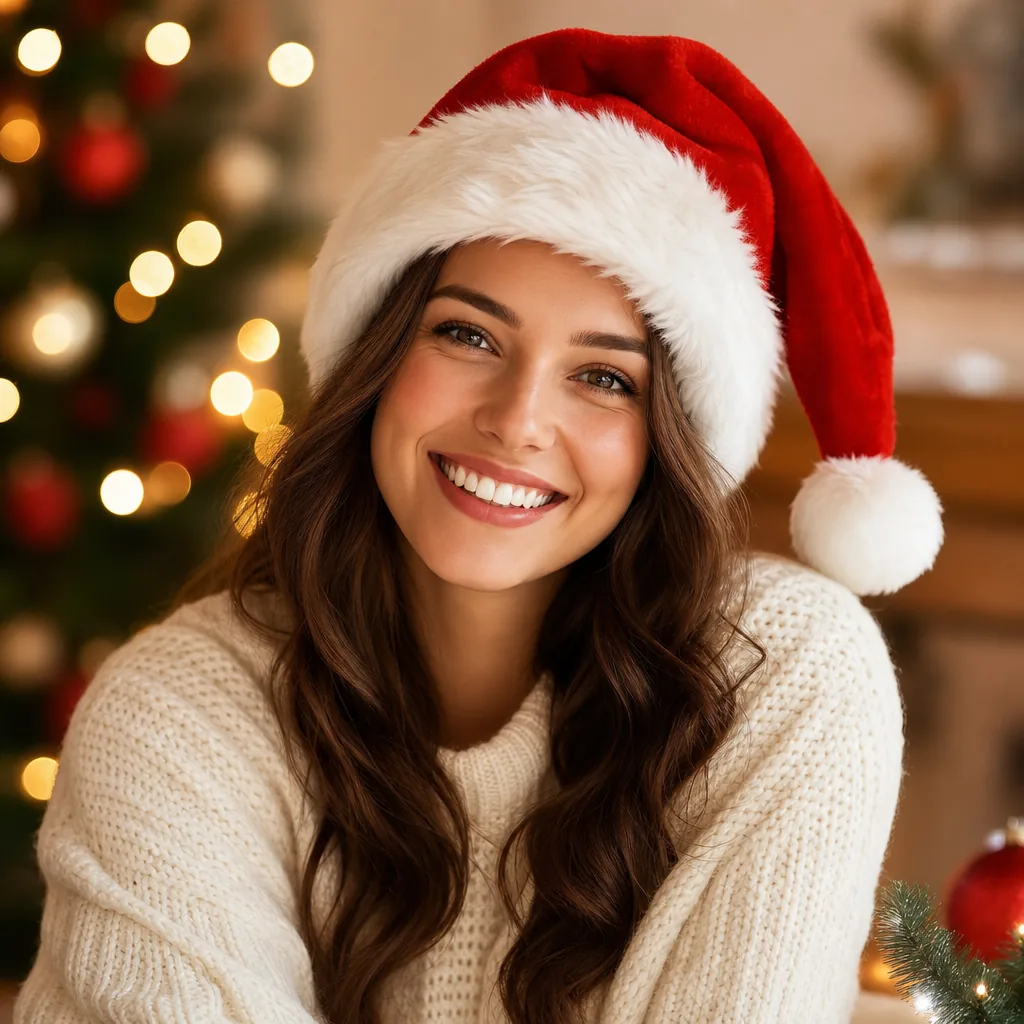
Visuelles Beispiel für Add Santa Hat to Foto Bild Prompt
BildBild BearbeitungfestivalsReferenz Bild
Eingabe
Ersetze die Platzhalter in Klammern und passe Kamera, Licht, Format und Ausgabegrenzen an den Kanal an.
Add a realistic Santa hat to the person in the uploaded photo. Requirements: - Keep the original person's identity, face, hairstyle, skin tone, expression, pose, clothing, body shape, background, and camera angle unchanged. - Place one classic Christmas Santa hat naturally on the head of the main person. - The Santa hat should have realistic red velvet fabric, soft white fur trim, and a fluffy white pom-pom. - Make sure the hat fits the head correctly with accurate scale, angle, perspective, and placement. - Match the original lighting, shadows, color temperature, and image realism so the hat looks like it was actually worn in the original photo. - Preserve hair around the forehead, sides, and back naturally where visible. - Do not cover the eyes, eyebrows, or important facial features. - Keep the edit clean and focused: the main change should be adding the Santa hat only. Optional festive enhancement: - Add very subtle Christmas atmosphere only if it fits naturally, such as soft falling snow, tiny warm fairy lights, gentle festive bokeh, or a faint holiday glow. - These festive elements must remain secondary and should not change the original scene structure. Output style: - photorealistic - seamless image editing - natural integration - high detail - cvlean holiday portrait
Am besten geeignet für
Add Santa Hat to Foto variants
Referenz guided edits
Reusable Bild workflows
Modell-Startpunkte
GPT-4o ImageGPT Image 2Seedream 4Seedream 4.5

Ähnliche Vorlagen

Die Kampagne weiterführen

Nutze diese benachbarten Eingabemuster, wenn dieselbe Kampagne ein weiteres Asset-Format braucht.

AI Patch Prompt generator Bild Prompt Beispiel
BildmerchText Prompt
AI Patch Prompt generator Bild
Produktionsreife Vorlage für AI Patch Prompt generator Bild, geeignet für AI Patch Generator variants und Text to Bild starts und klare VisioArt-Workflows.
Vorlage öffnen
AI Age Change Filter Prompt Bild Prompt Beispiel
BildBild Bearbeitungappearance
AI Age Change Filter Prompt Bild
Produktionsreife Vorlage für AI Age Change Filter Prompt Bild, geeignet für AI Age Change Filter variants und Referenz guided edits und klare VisioArt-Workflows.
Vorlage öffnen

AI Body Editor Prompt Bild Prompt Beispiel
BildBild Bearbeitungappearance
AI Body Editor Prompt Bild
Produktionsreife Vorlage für AI Body Editor Prompt Bild, geeignet für AI Body Editor variants und Referenz guided edits und klare VisioArt-Workflows.
Vorlage öffnen

FAQ

Add Santa Hat to Foto Bild FAQ

Klare Antworten zu Workflows, Modellwahl, Preisen und Produktions-Fit.

Produktionsreife Vorlage für Add Santa Hat to Foto Bild, geeignet für Add Santa Hat to Foto variants und Referenz guided edits und klare VisioArt-Workflows.

Ja. Ersetze die Platzhalter in eckigen Klammern und passe Kamera, Licht, Format, Details und Ausgaberegeln an den Kanal an.

Starte mit dem empfohlenen Tool auf der Seite. Wenn Bewegung, Realismus oder Stil andere Modellstärken brauchen, teste die benachbarten Modellpfade.

Nutze diese Vorlage in VisioArt.

Öffne das empfohlene Tool, füge die Eingabe ein, ersetze die Platzhalter und teste den stärksten Modellpfad.

Empfohlenes Tool öffnenVorlagen durchsuchen